

Device Manager in Windows 7
Device Manager provides you the facility to graphically view the hardware that is installed on your computer. You can use Device Manager to manage devices only on a local computer. Using Device Manager you can:
- Determine whether the hardware on your computer is working properly.
- Change hardware configuration settings.
- Identify the device drivers that are loaded for each device, and obtain information about each device driver.
- Change advanced settings and properties for devices. Install updated device drivers.
- Enable, disable, and uninstall devices.
- Roll back to the previous version of a driver.
- View the devices based on their type, by their connection to the computer, or by the resources they use.
- Show or hide hidden devices that are not critical to view but might be necessary for advanced troubleshooting
To check these options:
1. Click the Start button to view the Start Menu and then choose the Control Panel option.

2. The Control Panel window opens up.

Now click the System and Security link from this window.
3. The System and Security section of Control Panel opens up and you can see the direct link for the Device Manager.

4. Click on the Device Manager and window opens up.

5. To view the hardware click on any category and the related list of installed hardware will appear. Eg. Click on Sound, vedio and game controller.
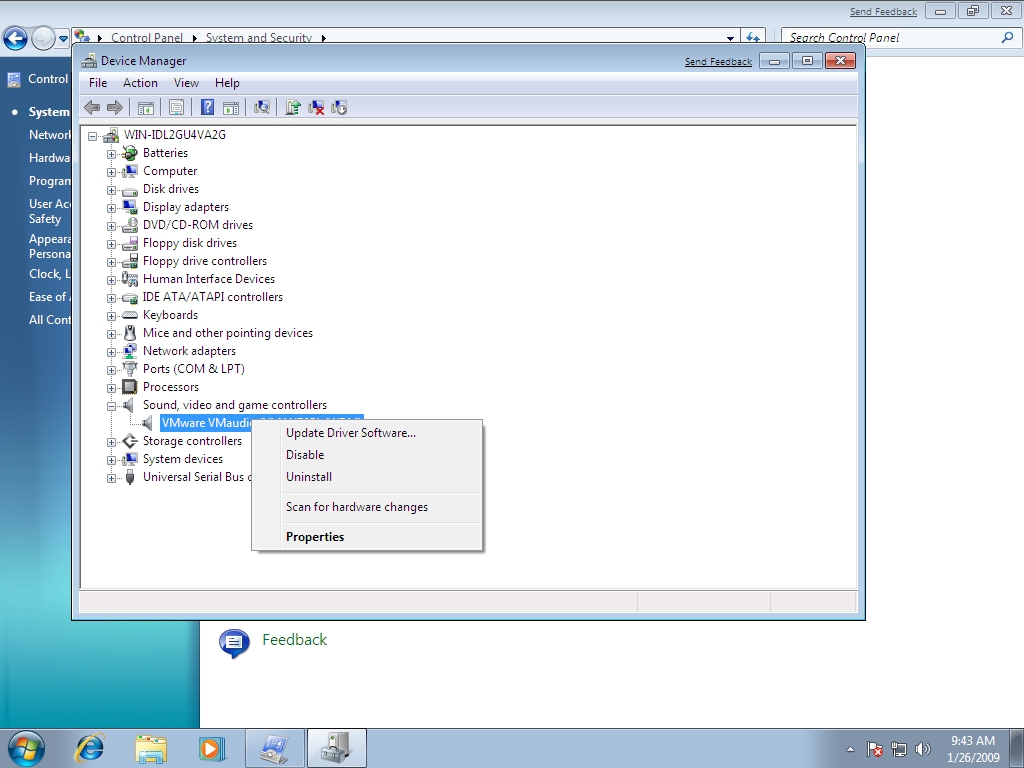
Right click on the shown sound controller. You will see various options like Update Driver Software, Disable, Uninstall and Properties etc.
6. Click on Disable to Disable the device. A confirmation popup opens up as

Clicking on Yes will disable the device and it will not function. To cancle click No.
7. Click on Uninstall to uninstall the device. Confirm Device Uninstall opens up.
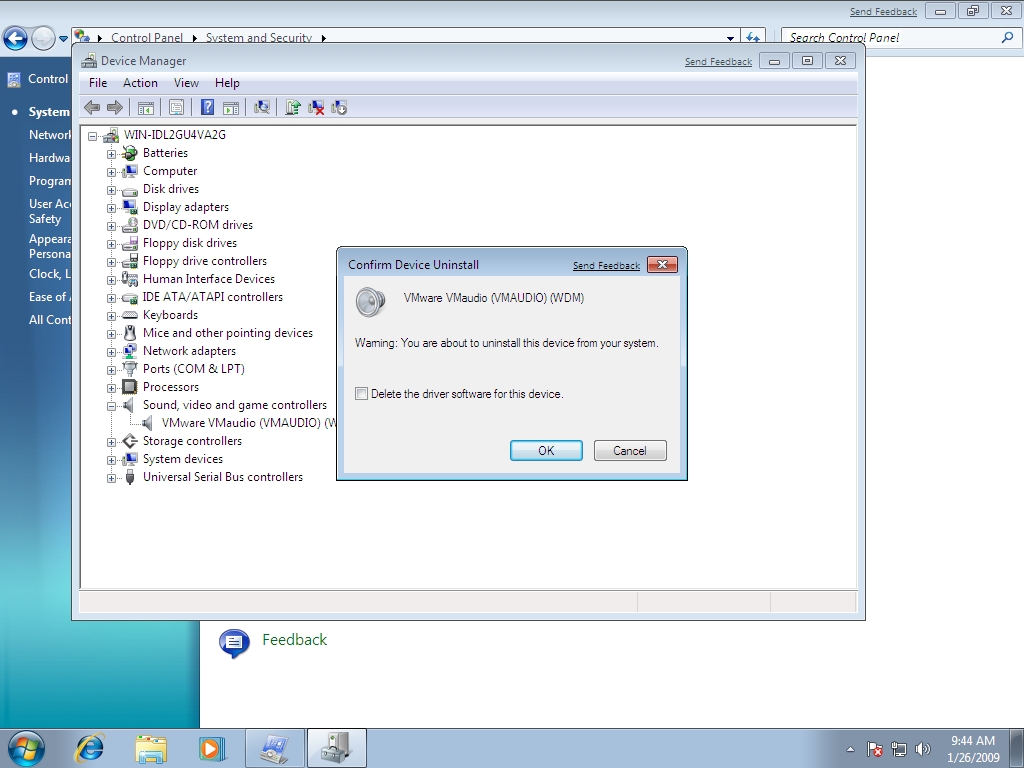
Click Ok to proceed uninstalling.
8. Click on Properties to view the detail of the hardware. Click on Driver tab to view the Device Driver detail.

9. Click on Resources tab to view resource settings.
